On Shave
I’ve been teasing you all with talk about my own transliteration tool for quite some time. I hadn’t released it, as there were some features I really wanted to have nailed before letting you guys get your hands on it.
The wait is over. I just released a web UI for my shave transliterator so you can give it a spin.
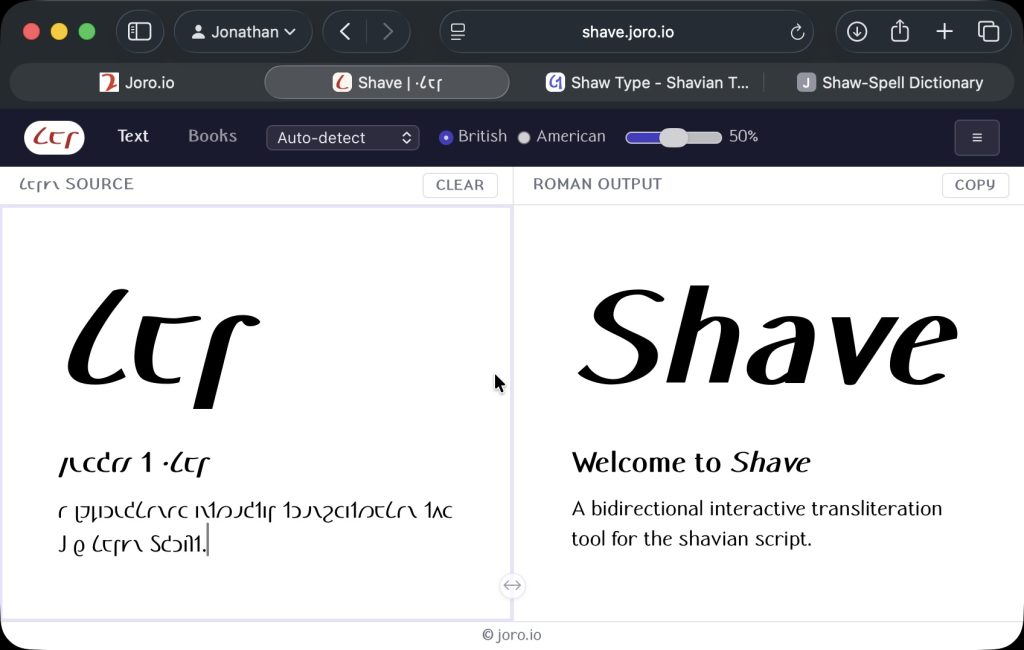
Shave is not like the other Shavian transliteration tools out there. Building on top of an extended version of Readlex, it takes inspiration from Dave Coffin’s python transliterator, and like his, it uses rules and heuristics to figure out words that aren’t in the dictionary, and it uses a machine learning engine to run part-of-speech (or POS) tagging, to help disambiguate words that are pronounced differently in different contexts, such as the different tenses of the verb to read, or the way the word project is pronounced entirely differently depending on whether it is a verb or a noun.
But it goes beyond this. I have built a custom ML model for the specific task of disambiguating the words that can’t be figured out from grammar alone. Words like lead, tear and bow. This Word Sense Disambiguator (WSD) is what really takes the tool to the next level: I’ve been using the latest one for a couple of weeks now, and it’s gotten to the stage where it more often than not gets it right.
I didn’t stop there. I realized that I could use the same techniques to tackle the much harder reverse transliteration problem: taking a text written in Shavian and converting it back to plain old regular English. I trained a network on the specific problem cases that occur in that direction: does 𐑲 mean I, eye or aye? Is it their, there or they’re? A cunning combination of looking for context in neighboring words and the custom trained neural network make the reverse transliteration mode very usable indeed.
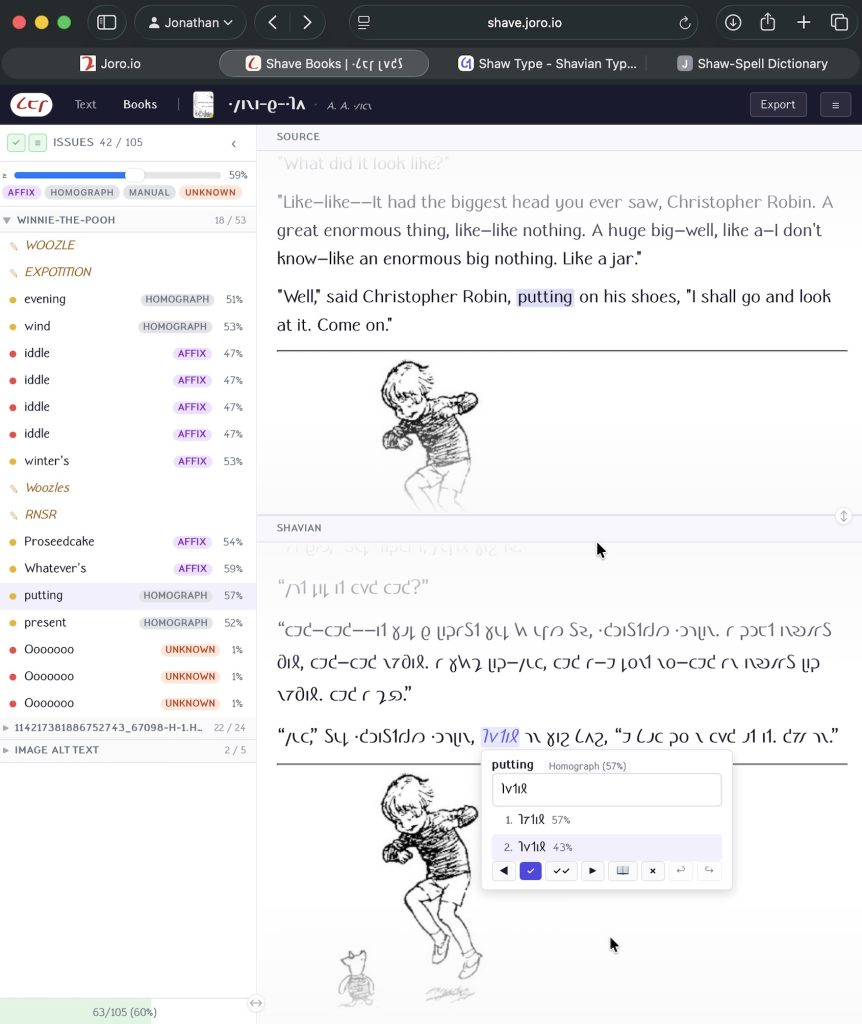
But wait, there’s even more! The tool can be run interactively – giving you the ability to step in and correct it, or fill in Shavian versions of words it is not sure about. To make this work, every decision is flagged with a confidence indicator.
When using Shave interactively, you can filter the errors by confidence level. For a nice quick transliteration, set the confidence filter to zero, and it will fill in its best guess everywhere (or leave the word untouched if it really didn’t know what to do. Or you can take it to 100%, and review every single word that wasn’t a found verbatim in the dictionary (or a homograph). Up to you.
The plain text mode of the tool allows you to type (or paste) Shavian or Latin script text into the window, and see its transliteration appear live right next to it, and it gives you an intuitive way to step through the errors and correct them. You can add missing/unknown words to a custom dictionary which is stored locally in your browser cache.
There’s one other mode, and it is the one I’m most excited about: it’s an e-book converter. Upload any (legally owned) ePub file, and go to town with its interactive review system. Like in the plain text mode, you can filter by confidence level, and you can save unknown words to your custom dictionary. You can upload a custom book cover if you want, before downloading the converted ebook.
This is just the beginning. The tool is still under active development – it still has some weak spots that need ironing out, and no doubt you guys will find (and hopefully report!) a bunch of bugs. The command-line tool and native macOS & iOS apps, and Safari browser extensions will follow close on its heels, and I’ll probably put some or all of it on GitHub sooner or later too.
In the meantime: happy shave-ing! Don’t hesitate to let me know what you think, how you get on and whether you encounter any issues, either here, on Bluesky or in Discord.
-Joro


Leave a Reply to ·𐑨𐑤𐑦𐑒𐑕𐑭𐑯𐑛𐑼 Cancel reply